Project Description

Project information

Applications Used

Java JavaFx Scene-builder HTML
Java Logo JavaFx Logo


Project Description โ„น๏ธ

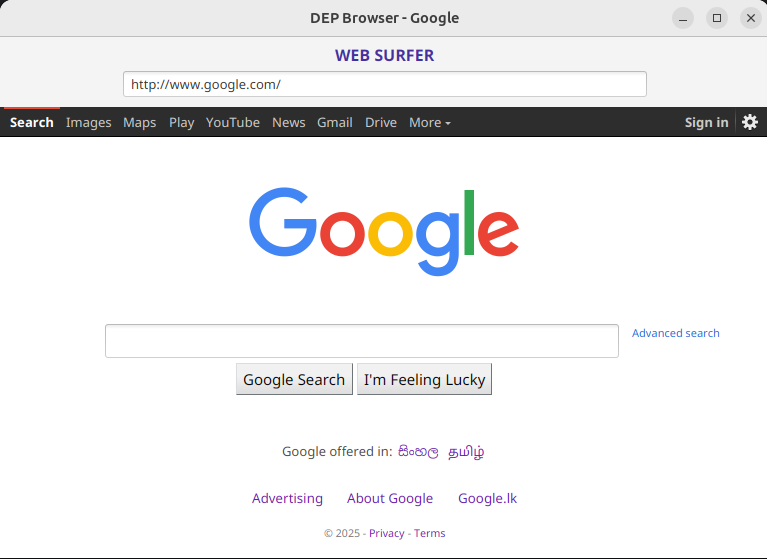
This project is a lightweight web browser application that can send HTTP requests, process responses, and render web content. It includes basic functionalities such as handling redirects, reading server responses, and displaying error messages in a simple web view.


Features of the Web-Surfer Application ๐Ÿš€


  • Basic Web Navigation: Users can enter URLs and load web pages.
  • Custom User-Agent Support: The browser sets a specific User-Agent for HTTP requests.
  • Error Handling: Displays user-friendly error messages for bad requests or connection issues.
  • HTTP Request Handling: Supports sending HTTP GET requests to retrieve web content.
  • Redirect Handling: Detects redirection responses and processes them accordingly.


Technologies Used ๐Ÿ‘ฉ๐Ÿปโ€๐Ÿ’ป

  • Programming Language: Java
  • Networking: Java Sockets (for HTTP requests)
  • UI Framework: JavaFX WebView
  • Multi-threading: Used for handling server responses without freezing the UI

Built With ๐Ÿ› ๏ธ

The Web-Surfer App was developed using the following technologies:

  • Java
  • JavaFX (for UI & WebView)


Getting Started

Welcome to Web-Surfer Project

Prerequisites to Contribute or Understand This Project

1. Networking in Java

  • How Domain Name System (DNS) works
  • How HTTP Request/ Response works

2. Java Programming

  • Core concepts and object-oriented principles

3. JavaFX

  • UI and WebView for rendering pages

4. Multi-threading

  • Handling network responses efficiently

5. HTTP Protocols

  • GET requests
  • Headers and response handling

Installation ๐Ÿ’ป

Below is an example of how you can install and set up the Web-Surfer.

  1. Clone the repo:
  2. 
                               git clone https://github.com/Isuranga-Seram/Web-Surfer.git
                               cd Web-Surfer
                           
  3. Change git remote URL to avoid accidental pushes to the base project:
  4. 
                               git remote set-url origin github_username/repo_name  #optional
                               git remote -v # confirm the changes
                           
  5. Now you can run the app

Enjoy !!


Usage

The Web-Surfer app has a variety of uses, such as:

  • Personal Browser ๐ŸŒ: Can be extended with additional features like bookmarks or history.
  • Development Testing ๐Ÿ› : Helps developers understand network programming, multi-threading, and HTTP request/response handling.
  • Educational Purpose ๐Ÿ“š: Learn how web browsers work internally.


Contributing ๐Ÿ‘ช

๐Ÿš€ "Great projects thrive on collaboration! Join us in building something amazingโ€”contribute your skills, ideas, and code to make this web browser even better!" ๐Ÿ’กโœจ

Potential Enhancements :

  • Enhance UI for better user experience.
  • Improve request handling (e.g., adding support for POST requests).
  • Implement JavaScript and CSS support for modern web standards.
  • Add tabbed browsing functionality.


Version ๐Ÿ“ณ

0.0.1


Get in touch

Have an idea for a project? Let’s turn it into reality! Contact me here, and let’s get started.

Find Me

Email: isurangaseram@gmail.com

LinkedIn: linkedin.com/in/isuranga-seram

Tel: +94 71 8816464